Know the Name of Every Color
Pick any pixel on your screen — Hue Knows names it instantly using 1,000+ crowd-sourced color names.
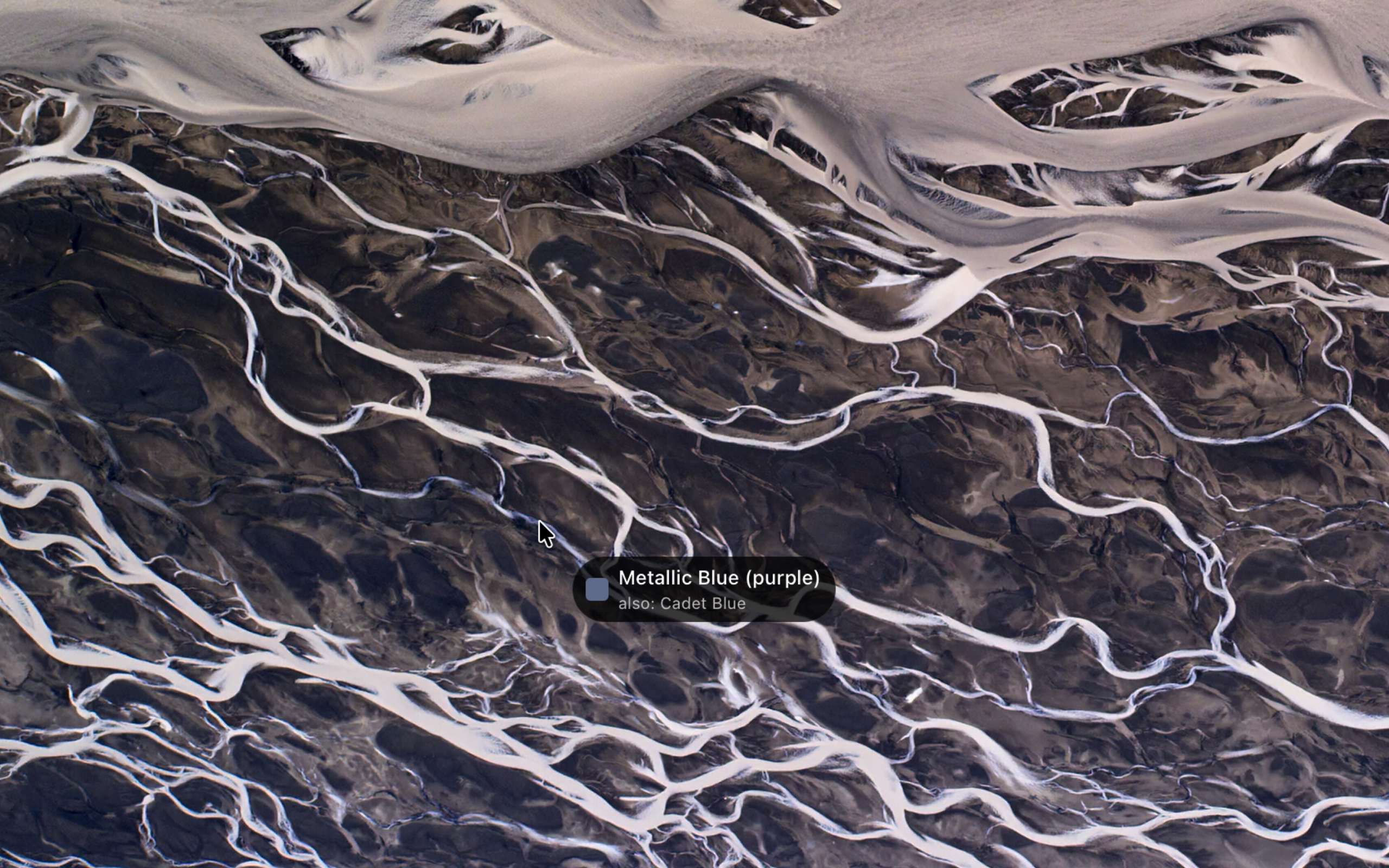
Live tracking mode follows your cursor in real time with a floating label.
Free. No subscription. No account.
Three steps to naming any color.
Click Pick Color
Click the menu bar icon and press Pick Color. A magnifier loupe appears.
Point and Click
Click any pixel on your screen. Hue Knows identifies it instantly.
See the Name
Get the XKCD color name, basic color category, hex code, and RGB values.
Everything you need to name any color.
XKCD Color Names
1,000+ crowd-sourced names from the XKCD color survey. Every color has a human-readable name — from "Cerulean" to "Dusty Rose".
Live Cursor Tracking
Enable live mode and a floating pill follows your cursor showing the color name in real time. Sampling runs at 20 Hz for smooth tracking.
Basic Color Hints
Non-obvious names like "Wheat" show their basic color category: "Wheat (yellow)". Never wonder what family a color belongs to.
Confidence Indicator
When the match is ambiguous, see alternative names and a confidence score. Know exactly how close the match is.
Color History
Recent colors are saved for quick reference. Click any past color to see its full details again.
Global Hotkey
Press ⌘⌃⇧G from any app to pick a color. No need to click the menu bar icon.
Free. No strings attached.
Hue Knows
- XKCD color names (1,000+)
- Live cursor tracking
- Basic color hints
- Confidence indicator
- Color history
- Global hotkey
Requires macOS Tahoe or later.
Frequently asked questions.
Hue Knows uses the XKCD color survey — over 1,000 crowd-sourced color names collected from hundreds of thousands of responses. Each name is the most popular label people gave to that specific color.
No. All color matching runs locally on your Mac. No data leaves your device.
Hue Knows samples the pixel color under your cursor using ScreenCaptureKit. This requires the Screen Recording permission in macOS. No screen content is stored or transmitted.
Hue Knows requires macOS Tahoe (macOS 26) or later.