Translate Anything On Your Screen
Select a region on screen. The translation updates continuously as text changes.
Game subtitles. Movie captions. Live chat. Multiple regions at once.
Fully on-device*. Fully private*. No subscription.
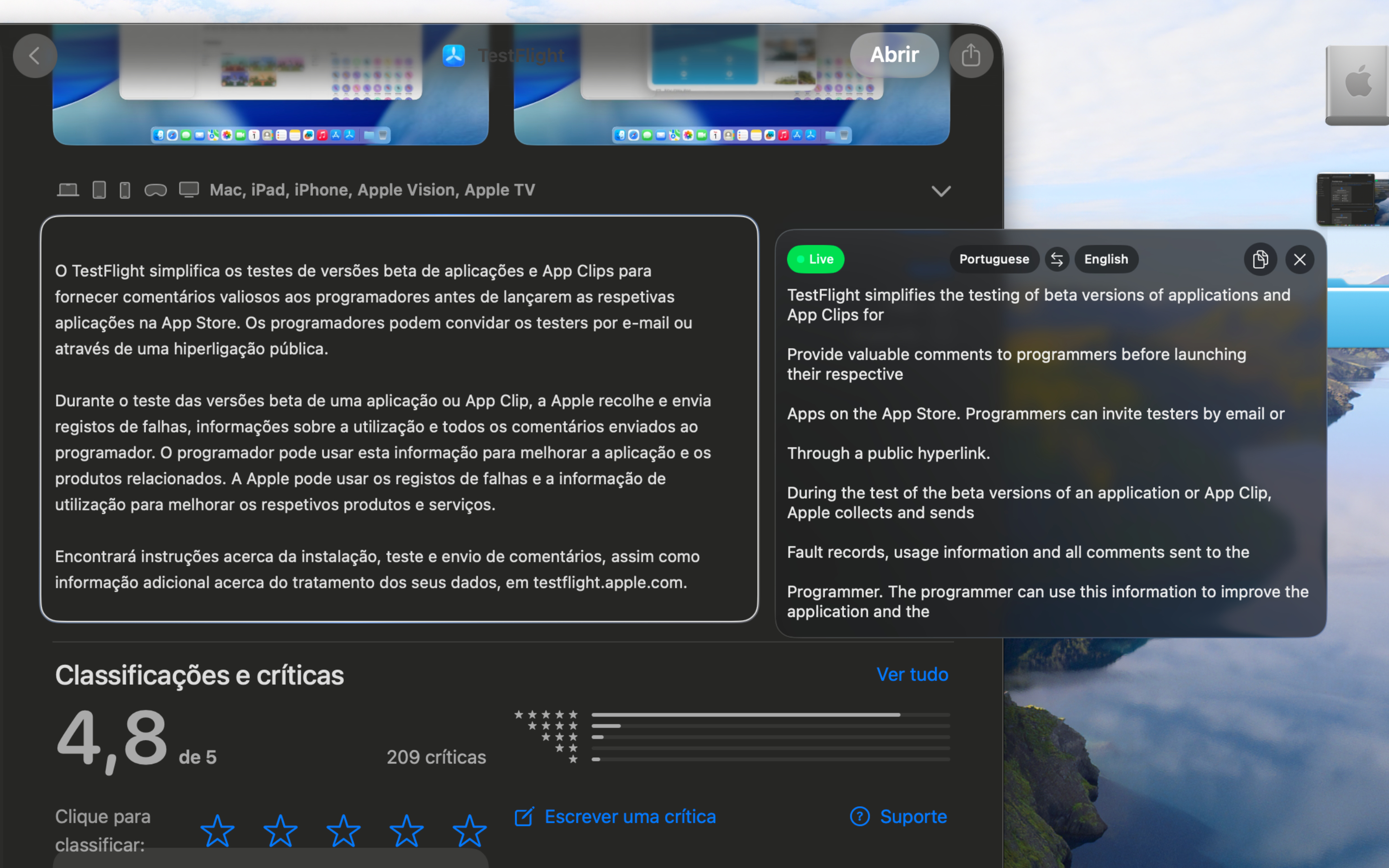
Three steps to understanding any language.
Press the Hotkey
Press the global hotkey (default ⌘⌃⇧T) from any app. A precision crosshair cursor appears.
Drag to Select
Drag over any text on your screen — in any app, any window, any language.
Read the Translation
The translation appears instantly in a floating panel. It keeps updating as the source text changes.
Built for how you actually work.
Drag to Translate
Press the global hotkey from any app. A precision crosshair appears — drag over any text on screen. Language Loop captures, recognizes, and translates it in seconds.
Live & Continuous
Language Loop keeps watching your selected region. When the text changes, the translation updates automatically — ideal for game subtitles, movie captions, or streaming foreign content.
Fully On-Device*
Screen capture, OCR, and translation all run locally using Apple’s native frameworks. Your text never touches a server. No account required.
Multiple Overlays
Translate several regions at once. Each overlay operates independently with its own language pair — monitor game subtitles and a chat window simultaneously.
Stays Out of Your Way
Translation panels float above your windows without stealing focus. Drag them anywhere. Resize the selection frame. Copy text with one click.
Customizable Hotkeys
Set your own keyboard shortcuts for capture and visibility toggle. Changes apply instantly — no restart required.
One app. One price. No subscriptions.
Language Loop
- Global hotkey activation
- Live continuous translation
- Multiple simultaneous overlays
- 20+ languages supported
- Fully on-device — 100% private*
- All future updates included
Requires macOS Tahoe or later.
Frequently asked questions.
Language Loop supports 20+ languages through Apple’s Translation framework, including English, Spanish, French, German, Italian, Portuguese, Chinese, Japanese, Korean, Arabic, Polish, and more.
Only for the initial download of language packs. Once downloaded, all translation can happen on-device — enable On-Device Mode in macOS Settings for fully offline, private translations.
Yes. Language Loop captures directly from the screen, so it works with any application — browsers, PDFs, images, videos, games, and more.
Completely*. All processing (screen capture, text recognition, and translation) runs locally on your Mac. With On-Device Mode enabled, no data is sent anywhere.
*Requires On-Device Mode enabled in macOS Settings. Learn how →
For press & media.
Language Loop is a native macOS translation overlay app built with Swift and SwiftUI. It leverages Apple’s Vision and Translation frameworks for a fully private experience.
Download Press Kit